
If your ASUS laptop has become slow over time, you are not alone. Many users face performance issues after months or years of usage. From long boot times to lagging applications, a slow laptop can reduce productivity and cause frustration.
Fortunately, there are several ways to improve performance. In this guide, experts from Asus service center in Kolkata explain the most common reasons behind slow ASUS laptops and the best solutions to fix them.
Common Reasons Why ASUS Laptops Become Slow
Before fixing the problem, it’s important to understand what causes the slowdown.
1. Too Many Startup Programs
Many applications automatically start when you turn on your laptop. This increases boot time and consumes system resources.
2. Low Storage Space
When your laptop’s hard drive is nearly full, the system struggles to operate efficiently.
3. Outdated Drivers or Software
Old drivers and outdated operating systems can cause compatibility issues and reduce performance.
4. Malware or Virus
Malicious software can secretly run in the background, consuming memory and CPU resources.
5. Hardware Limitations
Older ASUS laptops often have traditional HDDs and limited RAM, which can slow down performance significantly.
Expert Tips to Speed Up Your ASUS Laptop
Technicians from a trusted Asus laptop service center in Kolkata recommend the following solutions.
1. Disable Unnecessary Startup Apps
You can reduce boot time by disabling unwanted startup programs.
Steps:
- Press Ctrl + Shift + Esc
- Open Task Manager
- Go to the Startup tab
- Disable apps that are not necessary
2. Upgrade from HDD to SSD
Switching from a traditional hard drive to an SSD can improve performance dramatically.
Benefits include:
- Faster boot times
- Quick application loading
- Improved overall system speed
Many professionals at Asus service center in Kolkata recommend SSD upgrades as one of the most effective performance improvements.
3. Increase RAM
If your laptop struggles while multitasking, adding more RAM can help significantly.
For example:
- 4GB → Upgrade to 8GB
- 8GB → Upgrade to 16GB
This allows your laptop to run multiple programs smoothly.
4. Clean Temporary Files
Temporary files accumulate over time and slow down your system.
You can remove them by:
- Using Disk Cleanup
- Deleting temporary files from the Temp folder
- Using system optimization tools
5. Scan for Malware and Viruses
Run a full system scan using reliable antivirus software to remove harmful programs affecting performance.
6. Update Drivers and Windows
Regular updates improve system stability and fix performance issues. Make sure your Windows OS and ASUS drivers are updated.
7. Professional Laptop Servicing
Sometimes slow performance is caused by overheating, dust buildup, or failing hardware components. In such cases, professional servicing is recommended.
Technicians at an Asus laptop service center in Kolkata can perform:
- Internal cleaning
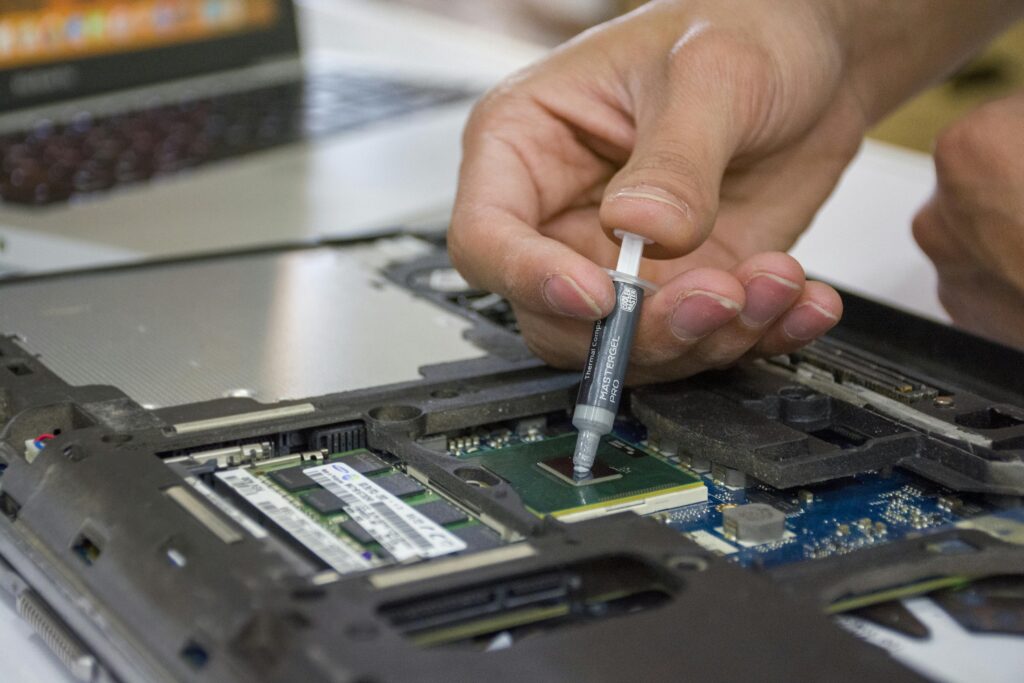
- Thermal paste replacement
- Hardware diagnostics
- Performance optimization
When Should You Visit an ASUS Service Center?
Consider visiting a professional Asus service center in Kolkata if:
- Your laptop freezes frequently
- The system takes too long to start
- Programs crash regularly
- The laptop overheats or makes unusual noises
Professional technicians can diagnose deeper issues and restore your laptop’s performance.
Final Thoughts
A slow ASUS laptop doesn’t always mean you need a new device. With simple optimization steps and occasional professional servicing, you can significantly improve your laptop’s speed and lifespan.
If the issue persists, visiting a reliable Asus laptop service center in Kolkata can help identify hardware problems and provide the right solution.
Keeping your laptop clean, updated, and properly maintained will ensure smooth performance for years to come.